Gym screens made useful

Keep members moving, informed and involved

Put class times, instructor changes, challenges, safety reminders and membership offers where members will see them.

Keep reception, studio and workout-area screens up to date from one simple place, even when plans change during the week.

The day-to-day challenge

A busy gym never stands still

Classes move, instructors change and new offers need attention. Printed timetables and posters are easily missed and quickly become out of date.

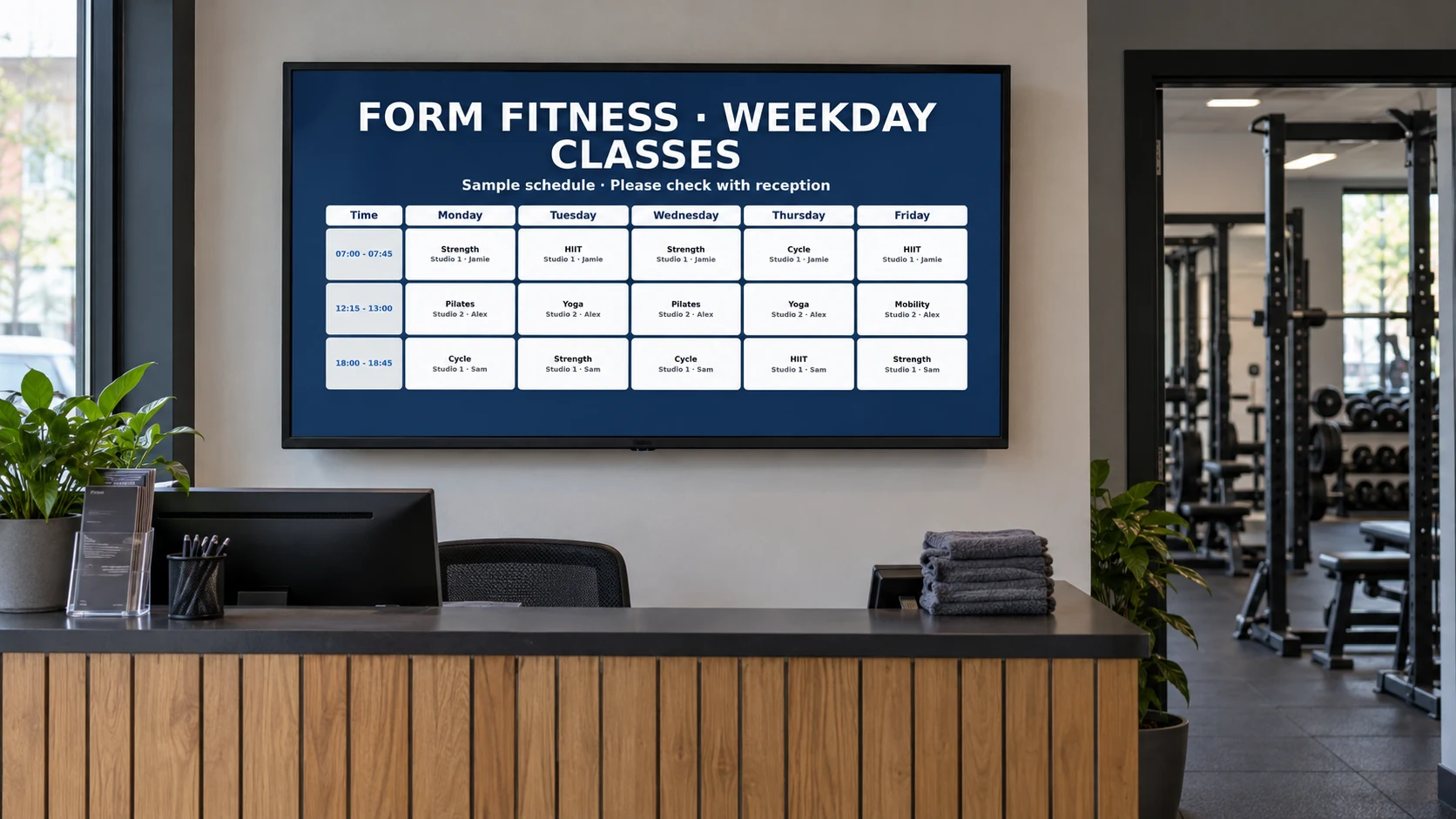
DisplayFlow lets your team keep each screen relevant to its location. Change today’s class list, celebrate a member achievement or promote a quieter session without replacing signs around the building.

What you can do

Everything needed for clear, useful screens

  • Create full-week or today-only class timetables
  • Show room, time and instructor changes quickly
  • Plan opening hours, classes and offers in advance
  • Mix timetables with photos, short videos and notices
  • Give reception, studios and workout areas different content
  • Make changes from a phone, tablet or computer
Why it helps

Make useful information part of every visit

Fewer missed classes

Put today’s times and last-minute changes in reception and near studios, where members naturally look.

Stronger member involvement

Keep challenges, events, milestones and community news visible throughout the month.

More chances to grow

Promote personal training, referrals, upgrades and quieter sessions without relying on a crowded noticeboard.

Where screens work well

Match each screen to the member journey

  • Entrance: welcome messages and opening times
  • Reception: today’s classes and important notices
  • Studio doors: the next session and instructor
  • Workout areas: tips, challenges and personal training
  • Changing areas or cafe: events, offers and member news
Easy everyday changes

Respond quickly when the day changes

  • Replace a cancelled class
  • Show a different studio or instructor
  • Share a temporary safety notice
  • Promote spaces in a quieter session
  • Celebrate a member or team achievement
A day on your screens

Support the rhythm of a gym day

Early morning

Show the first classes, opening information and a simple welcome for early members.

Daytime

Promote quieter sessions, personal training, wellbeing services and upcoming events.

Evening peak

Lead with today’s class times, room changes, busy-area guidance and member reminders.

Weekend

Switch to weekend hours, family sessions, workshops and the week ahead.

Getting started

Three simple steps to your first screen

1

Choose the busiest viewing point

Reception is a strong first choice because nearly every member passes it.

2

Add classes and key messages

Build the timetable, then add the notices and offers members ask about most often.

3

Give each area a purpose

Keep reception broad, studio screens timely and workout-area screens focused on motivation and services.

Screen ideas

Example screen uses

These are practical examples, not customer case studies.

Today’s classes

Show times, instructors and studio details in a clean list that is easy to scan.

Monthly challenge

Promote the goal, entry deadline, progress updates and prizes throughout the gym.

Member services

Introduce personal trainers, membership options, sports massage or referral offers.

Your screens

Use a screen you already own or choose a ready-to-use kit

Use a suitable TV you already own or choose a ready-to-use kit for reception, studios or workout areas. Each screen can show content chosen for that space.

You can open DisplayFlow on a suitable TV, or choose the optional £175 ready-to-use bundle for one screen for one year. No VAT is currently charged.

See screen kit options or read the simple setup guide.

Pricing

Start with one screen

Plans start from £10.00 per screen per month, with options for more screens and help creating your designs.

That keeps it suitable for one screen in a small business, or multiple screens across a venue.

View screen pricing.

FAQ

Questions for gyms

Yes. You can show a full week, weekdays, weekends or a simple list for the current day.

Yes. Reception, studios and workout areas can each show the content that suits them.

Yes. Change the class information from a phone or computer and keep members informed without replacing posters.

Yes. Mix class information with membership offers, trainer introductions, referral rewards and other services.

Yes. You can begin with one reception screen and add more only when they are useful.

Next step

Make every gym visit better informed

Try one reception screen or plan a joined-up set of screens for classes, notices, challenges and offers.

WhatsApp Chat with us