Open the player in a browser
Open the player on a compatible browser, or use plug and play DisplayFlow hardware to turn a non-smart TV or monitor into a managed display.

Create content, build playlists, schedule updates and keep screens current from one clear dashboard.
No heavy setup. No feature maze. Just the tools most teams need day to day.
The setup flow is deliberately short so staff can learn it quickly.
Open the player on a compatible browser, or use plug and play DisplayFlow hardware to turn a non-smart TV or monitor into a managed display.
Build menus, weekly timetables, AI media, promos, announcements and quiz slides from one dashboard, then publish without waiting on outside help.
Use mobile or desktop to switch playlists, update prices, schedule changes, monitor screen status and keep every display current.
Keep the commercial details organised, collect finished artwork securely and move approved graphics into your normal playlist workflow.
Store the business name, contact details, invoice reference and internal notes in a customer-isolated advertiser record.
Record the agreed rate period, payable term, payment status, start date, calculated term end and next payment due date.
Email a company-branded agreement summary or a private one-time upload link. Submitted JPG, PNG or WebP artwork goes into your Media Library without exposing the admin dashboard.
Use ready-made screens to advertise available space in cafés, gyms, waiting rooms and other venues, then add the chosen design to Media in one click.
Review advertiser artwork in the main Media Library and add approved graphics to playlists, schedules and the screens you choose.
The advertiser area is an operational tracker, not automatic invoicing or payment collection. Nothing is published or assigned to a screen until you choose it.
Everything here is built around fast screen updates and easy daily management.
Create clocks, up to eight named world clocks, event countdowns and local weather pages. Choose layouts and colours, then add them to a playlist alongside your other content.
Call an order number or direct a visitor to a room with a temporary full-screen message. Save settings for each destination, choose colours and an optional chime, then send from admin or the separate staff page. Messages queue for the next player check-in and normal playback restarts afterwards.
Build menu boards with item photos, design themes, typography controls and layouts that can automatically fit the content and screen orientation.
Build full-week, weekday, weekend or daily agenda screens for classes, sessions, appointments and venue schedules.
Generate screen artwork from a prompt or use an existing library image to guide the colours, visual style, composition or subject.
Place text, dates, times, QR codes or images over one playlist item or across an entire screen, including scheduled playlists.
Create responsive event screens with dates, locations and recurrence, or import up to 500 entries from CSV, iCal files and public iCal URLs.
Bring a public image or video link into the customer-isolated Media Library, where it follows the normal validation and playlist workflow.
Turn an image folder into a slideshow and choose sequential or random playback, with folder changes reflected in the slideshow content.
Add compatible hosted pages or format RSS headlines as playlist content for information that changes outside DisplayFlow.
Run scrolling messages with optional badges, clocks, colours, priorities and time-based screen assignments.
Build photo-led sale, rental, commercial and room-hire screens with adaptable layouts and details such as capacity, facilities and hire rates.
When the optional integration is configured, send an eligible JPG or PNG from the Media Library to a connected Google Business Profile location.
Keep advertiser contacts, rates, payable terms, payment status and campaign dates together, with private artwork upload links feeding the Media Library.
Use quiz screens to draw attention in queues, waiting areas and promo loops without needing a separate tool.
Handle routine changes from your phone when you are moving around the business or between locations.
Run DisplayFlow in compatible browsers, or add plug and play hardware when the screen is a standard TV or monitor.
Switch content by time of day for breakfast, lunch, events, classes and promotional windows.
See recent screen check-ins in the dashboard so you can spot displays that have stopped reporting back.
Set each screen to critical, standard, low priority or no alerts, with email notifications when a screen misses its expected heartbeat.
Bring new screens live quickly with a simple pairing flow that stays easy to manage.
Manage one site or several locations from the same clear admin experience, with screens grouped by location and purpose.
These product screenshots show the interface used to monitor screens and build editable menu boards.
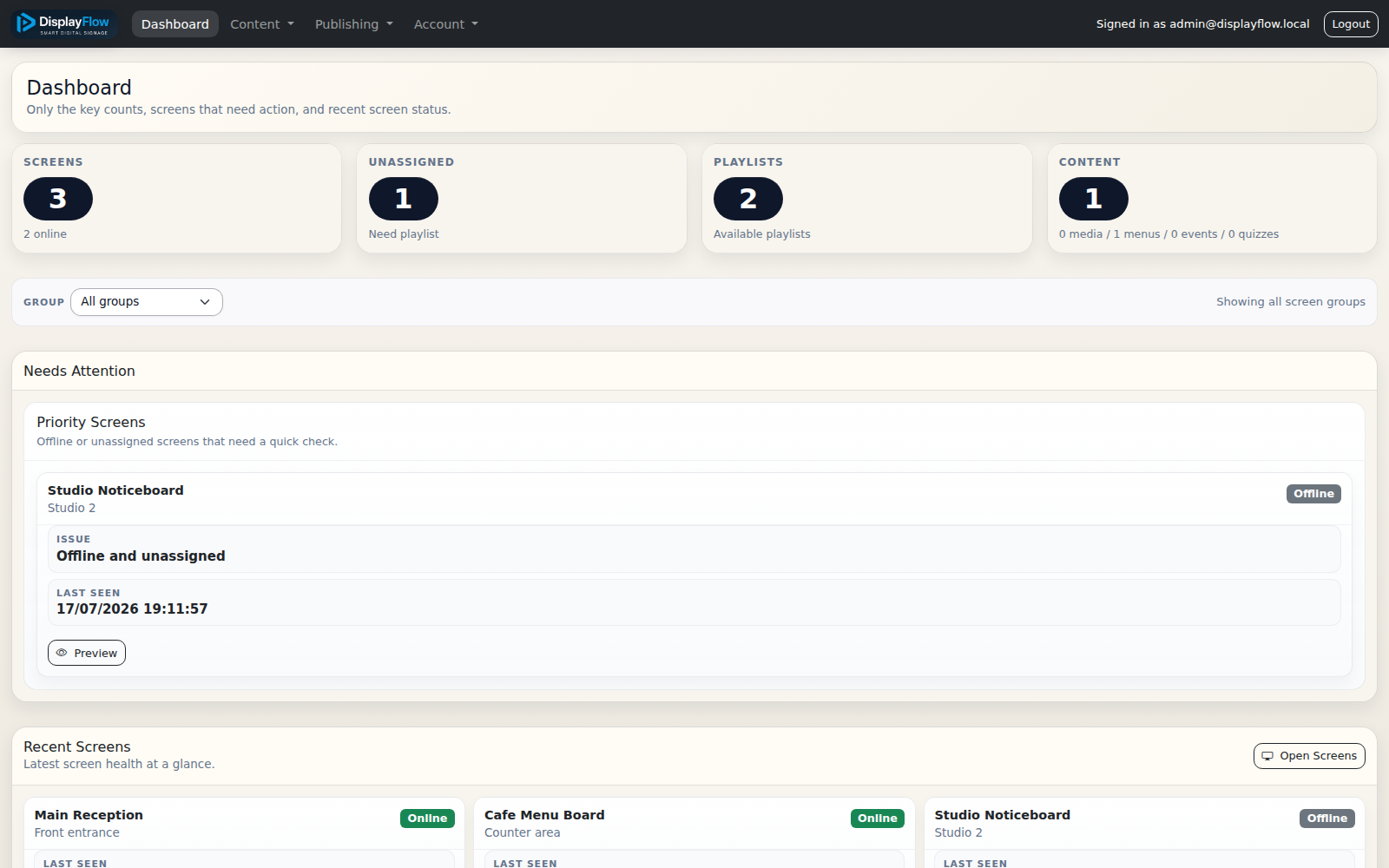
Review online and offline screens, playlist counts and displays that need attention from the dashboard.
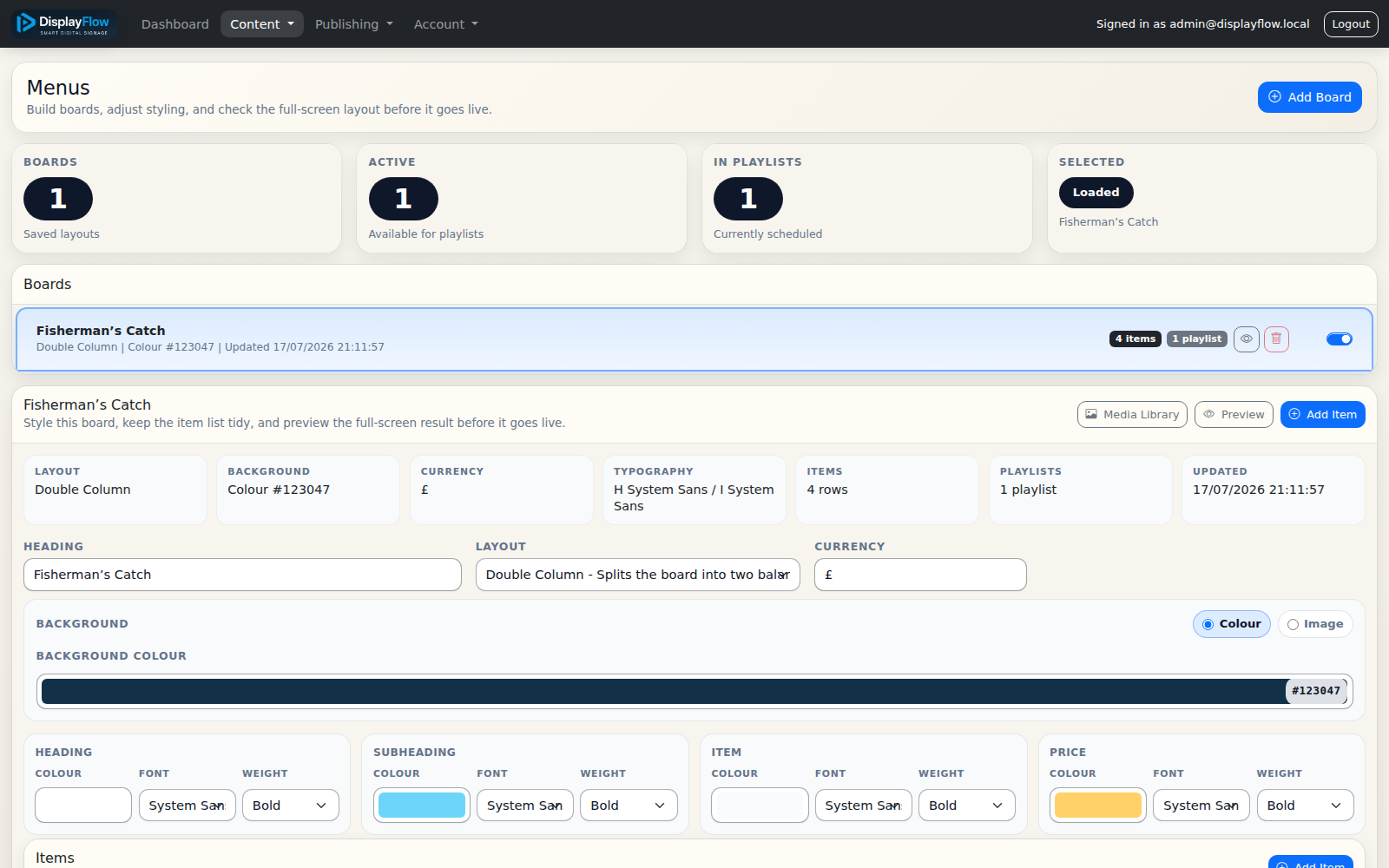
Manage layouts, colours, typography, items and prices before previewing and adding the board to a playlist.
Once the feature set is clear, the next questions are usually price and how quickly the system can be rolled out.