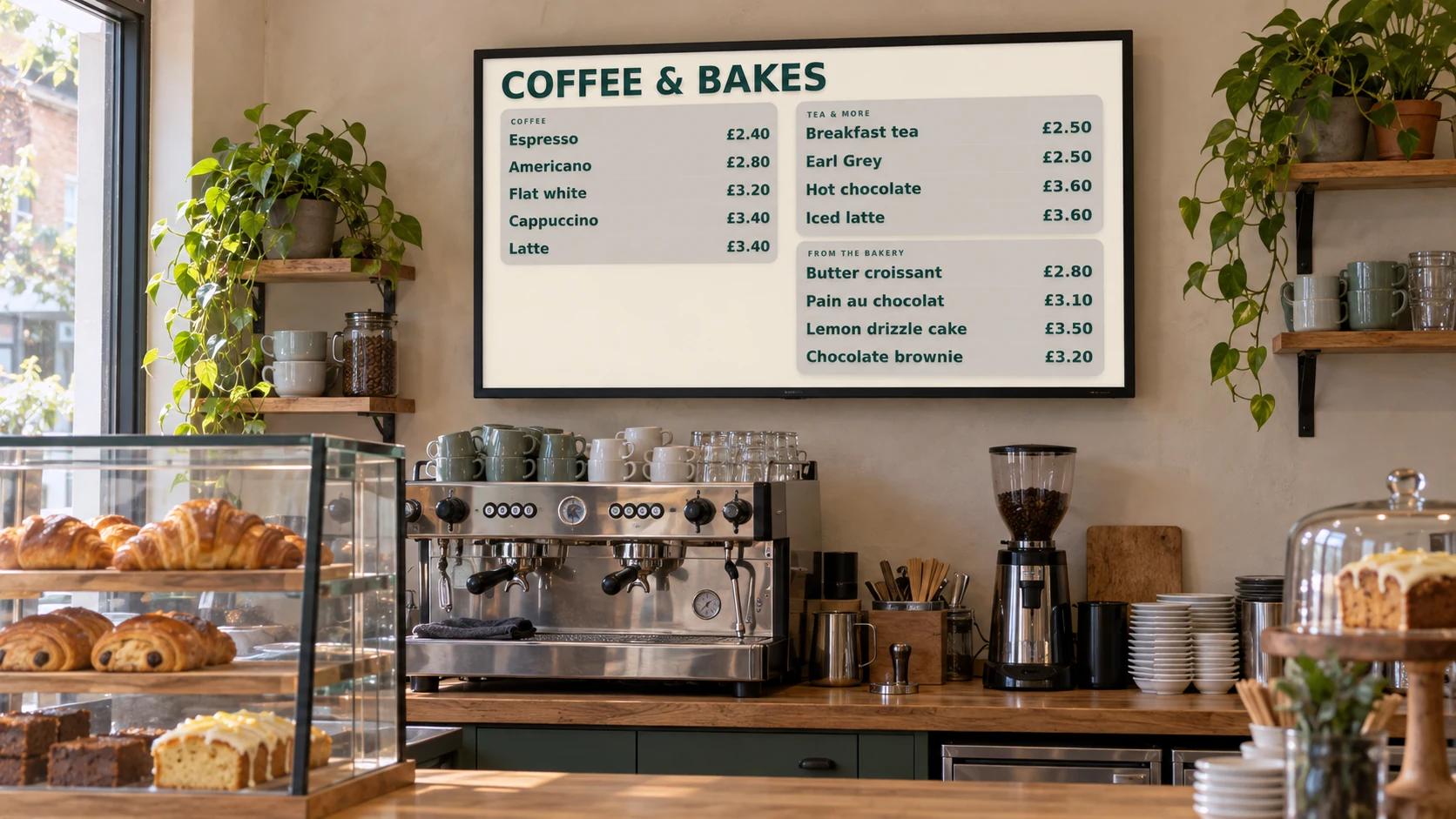
Cafe screens made simple

Keep your cafe menu fresh from breakfast to close

Show menus, daily specials, cake offers and customer notices on bright, easy-to-read screens.

Change an item or price in moments, and plan different displays for breakfast, lunch and the afternoon rush.

The day-to-day challenge

Your menu changes faster than printed signs

Prices change, bakes sell out and a rainy morning can turn into a busy lunch. Reprinting boards or replacing posters takes time your team could spend serving customers.

DisplayFlow keeps everyday changes together in one simple place. Update a menu, prepare an offer in advance or change several cafe screens without walking around with a memory stick.

What you can do

Everything needed for clear, useful screens

  • Build clear menus for drinks, cakes and food
  • Show different menus at different times of day
  • Remove sold-out items and change prices quickly
  • Mix menus with photos, short videos and notices
  • Update one cafe or several sites from a phone or computer
  • Give each screen its own mix of content
Why it helps

Help customers choose while the queue keeps moving

A good cafe screen should make ordering easier and give timely offers room to shine.

Quicker decisions

Keep names, prices and choices clear at the point of order so customers know what they want before reaching the till.

More timely offers

Give breakfast deals, lunch add-ons, quiet-time offers and seasonal drinks their moment without crowding one board.

Fewer outdated signs

Make a change once and keep the menu customers see in step with what the kitchen and counter can serve.

Where screens work well

Guide customers from the door to the till

  • Window: opening times, seasonal drinks and reasons to come in
  • Queue: today’s specials and meal deals
  • Counter: the full menu and prices
  • Collection point: loyalty offers and helpful notices
  • Seating area: events, community news and afternoon offers
Easy everyday changes

Handle the changes every cafe knows well

  • Mark a special as sold out
  • Switch from breakfast to lunch
  • Change a price or description
  • Promote stock that needs a little help
  • Share an early close or holiday opening time
A day on your screens

Give each part of the day its own message

Morning

Lead with coffee, breakfast, pastries and quick bundles for commuters.

Lunchtime

Bring sandwiches, hot food, soup and meal deals to the front.

Afternoon

Highlight cake, cold drinks, loyalty rewards and quieter-time offers.

Before closing

Share tomorrow’s opening time, upcoming events or a final food-saving offer.

Getting started

Three simple steps to your first screen

1

Choose your first screen

Start where it will help most, usually above the counter or where the queue forms.

2

Add your menu and offers

Enter your items and prices, then add any photos, notices or seasonal promotions.

3

Set the day in motion

Choose when breakfast, lunch and afternoon content should appear, then make small changes whenever needed.

Screen ideas

Example screen uses

These are practical examples, not customer case studies.

Counter menu

Show hot drinks, cold drinks, cakes and food prices where customers order.

Specials screen

Give soup of the day, fresh bakes and limited offers a clear space of their own.

Community screen

Share events, private hire, local news and opening times between offers.

Your screens

Use a screen you already own or choose a ready-to-use kit

Start with a suitable TV you already have, or choose a small ready-to-use kit for a counter, window or wall screen that runs throughout the day.

You can open DisplayFlow on a suitable TV, or choose the optional £175 ready-to-use bundle for one screen for one year. No VAT is currently charged.

See screen kit options or read the simple setup guide.

Pricing

Start with one screen

Plans start from £10.00 per screen per month, with options for more screens and help creating your designs.

That keeps it suitable for one screen in a small business, or multiple screens across a venue.

View screen pricing.

FAQ

Questions for cafes

Yes. You can make everyday changes from a phone, tablet or computer, wherever you are.

Yes. Prepare each menu once and choose when it should appear.

You can remove it from view or replace it with another item without reprinting the whole menu.

Yes. A counter can show the full menu while a window promotes offers and a seating-area screen shares events or notices.

Yes. Start with the busiest decision point and add more screens later if they would be useful.

Next step

Make the next menu change the easy one

Try DisplayFlow with one cafe screen, then grow to a menu pair, window display or several sites when you are ready.

WhatsApp Chat with us