Takeaway menu boards

Digital menu boards for takeaways

DisplayFlow helps takeaways run digital menu boards, meal deal screens and promotional displays from a simple cloud dashboard.

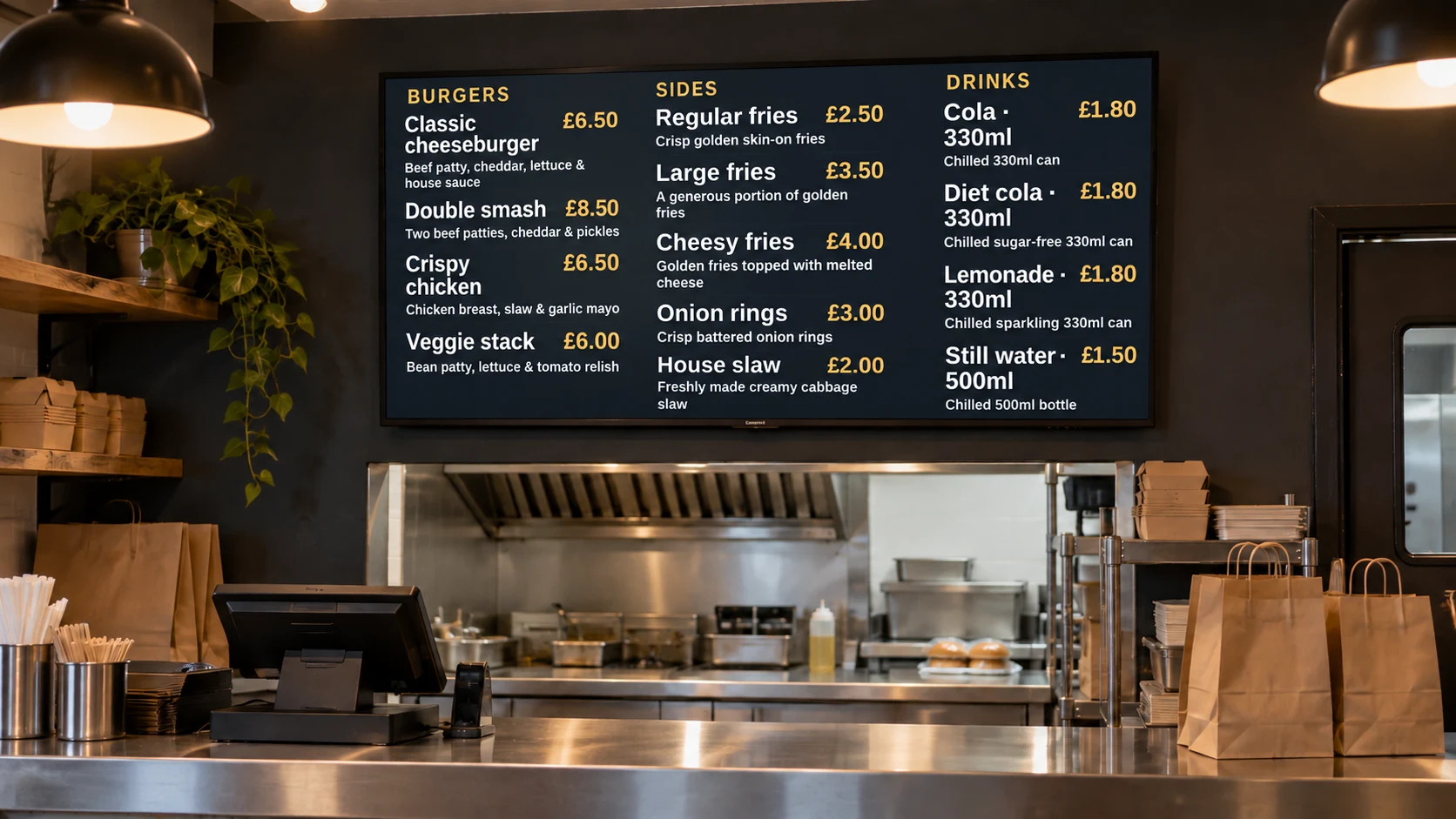
Illustrative takeaway counter with digital menu boards.
Illustrative installation · DisplayFlow example content

Update prices, swap lunch and evening menus, and control one or more screens without rebuilding a USB stick every time.

Your day to day

Printed menus and USB loops slow every change down

Takeaways often need to change prices, remove sold-out items, push a meal deal or run different menus at different times of day.

DisplayFlow gives staff a browser-based place to edit menu content and publish it to the screen remotely. It is built for clear menu boards rather than complicated enterprise signage projects.

Best uses

Menus that change quickly

  • Lunch and evening menus
  • Meal deals and limited-time offers
  • Multi-screen menu layouts
  • Price updates from the dashboard
  • Promotional screens by the counter

What you can do

Tools for your everyday updates

  • Menu and events builder for editable food and drink screens
  • Playlist control for menu screens, offer slides and notices
  • Scheduling for breakfast, lunch, evening and weekend menus
  • Remote screen management for one counter screen or several TVs
  • Browser player for smart TVs, Android devices, mini PCs and media players
  • Optional managed content/design support for new menu layouts
Explore every DisplayFlow feature →

What you can show

Give each screen a purpose.

Main menu board

Show categories, prices and popular items on a wall-mounted TV behind the counter.

Meal deal screen

Rotate lunch deals, collection offers and delivery promotions beside the main menu.

Timed menu changes

Switch from lunch to evening menus without staff changing files on the device.

How to use it

Start with your everyday content.

Upload images or create a content page, add it to a playlist and assign that playlist to your screen.

Follow the four-step setup →

Your screen and player

Use a suitable screen, with the right player.

Use a smart TV browser, Android stick, mini PC or supplied player depending on how permanent the menu board needs to be.

Use the shared player on a compatible browser device, or connect an Android Signage Stick. The optional £175 bundle includes one Signage Stick and one year of software for one screen.

Compare player and screen options →

Start with one screen.

Software from £10.00 per screen per month. Optional Signage Stick available.

Questions

A few useful answers.

Can I use DisplayFlow for a takeaway menu screen?

Yes. It is a strong fit for takeaway menu boards, meal deals, price updates and promotional counter screens.

Can I show different menus at different times?

Yes. You can use schedules and playlists for lunch, evening, weekend or event menus.

Can I run more than one menu screen?

Yes. DisplayFlow can manage one screen or multiple screens, including separate playlists for different menu boards.

Your next step

Start with one takeaway menu screen

Tell us how many screens you want and whether you already have the TV or need a supplied hardware option.

WhatsApp Chat with us