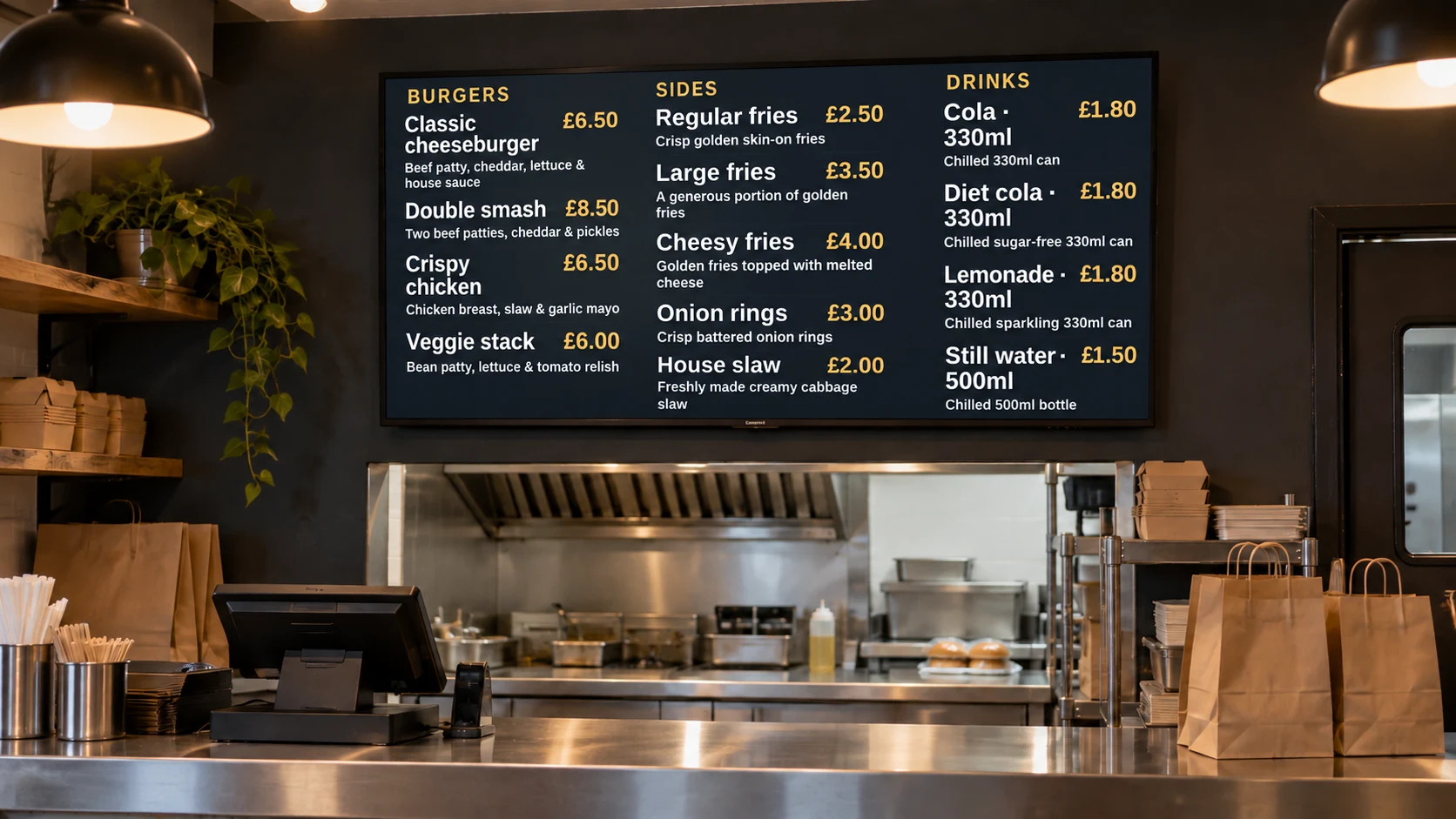
Restaurant menu boards

Restaurant digital menu board software

Create electronic menu boards for restaurants and update dishes, prices, daily specials and promotions from a browser.

Illustrative takeaway counter with digital menu boards.
Illustrative installation · DisplayFlow example content

DisplayFlow keeps front-of-house screens current across breakfast, lunch and evening service without replacing USB sticks or reprinting menu panels.

Your day to day

Restaurant menus and promotions change throughout the day

Printed menu panels and USB-based slides make routine updates slower. Service changes, sold-out dishes and time-limited offers can leave the screen out of step with what staff can serve.

DisplayFlow gives restaurant teams one browser-based place to edit menu content, create promotional artwork, build playlists and publish the right content to each screen.

Best uses

Restaurant screens that stay current

  • Breakfast, lunch and evening menus
  • Daily specials and limited-time dishes
  • Drinks, dessert and upsell screens
  • Remote price and availability changes
  • AI-created promotional artwork

What you can do

Tools for your everyday updates

  • Editable menu screens for dishes, descriptions, categories and prices
  • Scheduling for breakfast, lunch, evening and weekend service
  • Separate playlists for menus, drinks, desserts and promotions
  • AI media creation for specials, events and limited-time offers
  • Remote updates from a phone or desktop when availability changes
  • Screen monitoring for one restaurant or a multi-screen venue
Explore every DisplayFlow feature →

What you can show

Give each screen a purpose.

Main restaurant menu

Show dishes, sides and prices on a clear customer-facing menu screen.

Specials and upsells

Promote a dish of the day, desserts, drinks or a limited-time offer between menu content.

Menus by service

Schedule breakfast, lunch and evening playlists so the screen follows the current service.

How to use it

Start with your everyday content.

Upload images or create a content page, add it to a playlist and assign that playlist to your screen.

Follow the four-step setup →

Your screen and player

Use a suitable screen, with the right player.

Use a compatible smart TV browser, Android device, mini PC or optional DisplayFlow Signage Stick, depending on the screen and how reliably it needs to run.

Use the shared player on a compatible browser device, or connect an Android Signage Stick. The optional £175 bundle includes one Signage Stick and one year of software for one screen.

Compare player and screen options →

Start with one screen.

Software from £10.00 per screen per month. Optional Signage Stick available.

Questions

A few useful answers.

Can DisplayFlow run electronic menu boards in a restaurant?

Yes. DisplayFlow can publish restaurant menus, specials and promotional content to one screen or several customer-facing displays.

Can restaurant menus change automatically by time of day?

Yes. Use schedules and playlists to change screen content for breakfast, lunch, evening or weekend service.

Can staff update a sold-out dish or price remotely?

Yes. Authorised staff can edit content from a phone or desktop and publish the updated menu without visiting the screen device.

Can AI help create restaurant promotion graphics?

Yes. DisplayFlow can create screen artwork from a prompt for specials, events and limited-time offers, which can then be added to a playlist.

Your next step

Test a restaurant menu with your own content

Start a 14-day trial to create a menu, schedule service changes and preview promotional content before choosing a paid tier.

WhatsApp Chat with us