Comparison

Digital signage software vs USB stick screens

USB sticks can work for simple static loops, but they become awkward when business screen content changes regularly.

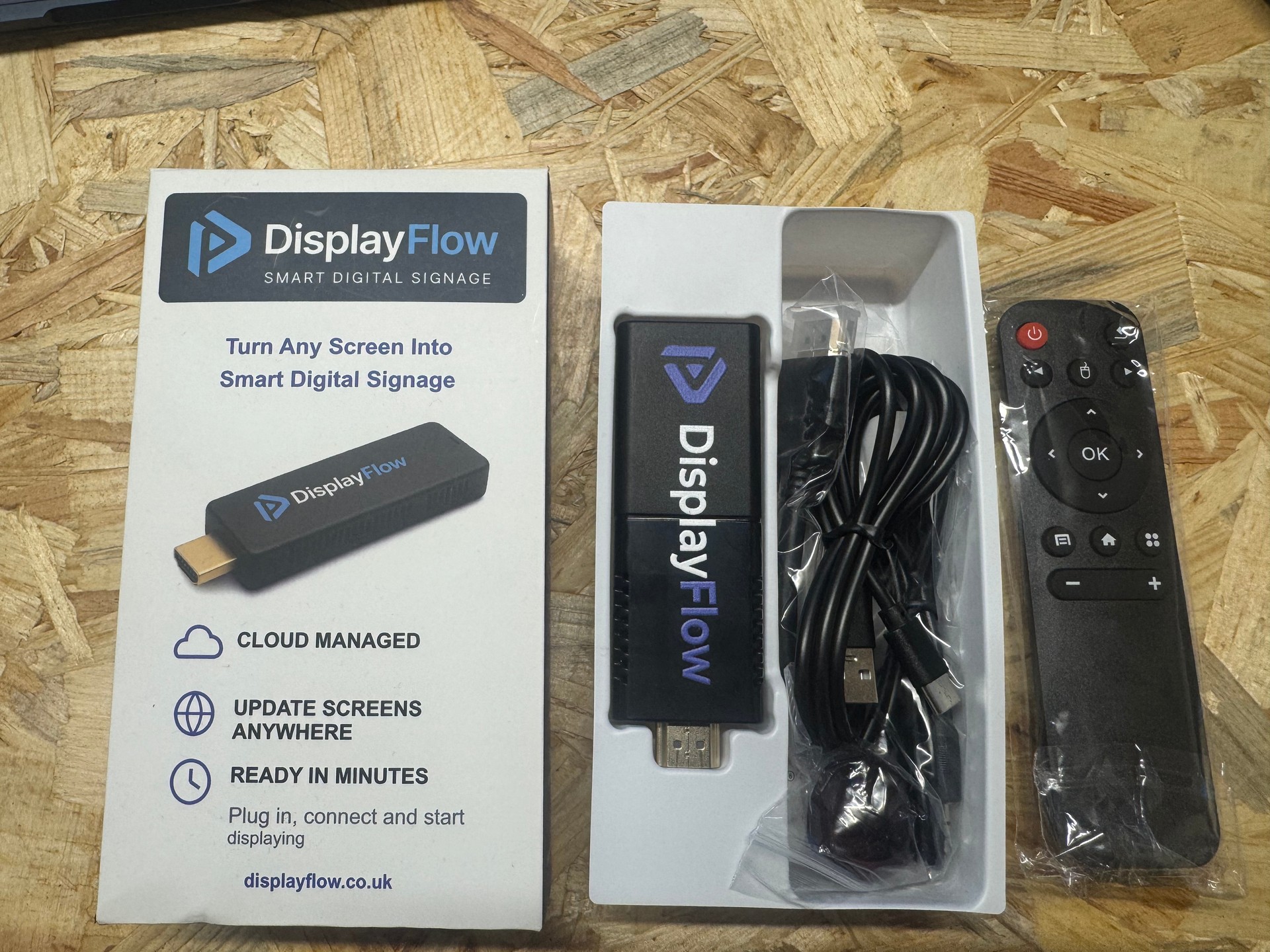
Boxed DisplayFlow Signage Stick with cables and handheld remote control
DisplayFlow Signage Stick kit

Cloud digital signage software is usually stronger for menus, offers, schedules, screen assignment and remote updates.

USB screens

USB playback is simple until changes become frequent

A USB stick can play images or video on some TVs. For a rarely changed loop, that may be enough.

The problems start when prices, offers, timetables or notices need regular edits. Someone has to update the file, copy it, visit the TV and confirm it is working.

Cloud software

Digital signage software centralises the update process

Cloud signage gives staff a dashboard for content, playlists, schedules and screen assignment.

That makes it more practical for takeaways, cafes, gyms, receptions, shops and waiting rooms where screen content should stay current.

Quick answer

Use USB for static loops, cloud for live updates

  • USB is low cost but manual
  • Cloud signage updates remotely
  • Scheduling is easier in software
  • Multiple screens are easier to manage
  • Monitoring is not practical with USB

What you can do

Where software beats USB playback

The more often screen content changes, the more useful software becomes.

Remote updates

Change screen content from a browser instead of visiting the TV.

Playlists

Mix menus, media, notices, timetables and promotional content.

Scheduling

Switch content by time of day, offer window or event period.

Multiple screens

Assign different content to different displays from one place.

Screen monitoring

See when screens are checking in and use alert levels where needed.

Content tools

Create menus and timetable screens without rebuilding a whole video file.

Content. Playlist. Screen. Play.

Add your content, build a playlist, assign it to a screen and open the screen link.

Follow the four-step setup

Questions

USB vs signage software questions

Is a USB stick enough for digital signage?

A USB stick can be enough for a static image or video loop that rarely changes. It is less useful when content needs remote updates, scheduling or monitoring.

Why use cloud digital signage instead of USB?

Cloud digital signage lets you update content remotely, manage playlists, schedule changes and monitor screens from a dashboard.

Can DisplayFlow replace USB menu screens?

Yes. DisplayFlow is designed for menu boards, promotional screens, notices and other content that is easier to manage from a cloud dashboard.

Your next step

Move beyond manual screen updates

Try DisplayFlow with the kind of screen content you currently update manually.

WhatsApp Chat with us